


How can we help?
Every answer about orders, shipping, returns, warranty and your MZ Titan controller, in one place.
Order Status & Changes
Track, change or cancel an order.
01How do I check my order status?
Use our order tracker. Enter your order number and the email you used at checkout. You'll see each step: order received, in production, quality check, packed and shipped.
02Where do I find my order number?
It's in the order confirmation email we sent right after you purchased.
03Will I be notified when my order status changes?
Yes. We email updates to the address you entered at checkout.
04What do the order stages mean?
- Ordered: we received your order and it's in the queue.
- In process: we're preparing your order for production.
- Assembling: your controller is being hand-built and tested.
- Order ready / shipped: tested, packed and on its way.
05Why is my order taking so long?
Every controller is hand-built and tested to order. Build time depends on how complex your design is and which assembly option you picked. Personalized options add 2–3 business days, and peak seasons like the holidays can add more.
06What is a business day?
Monday to Friday, not counting weekends and national holidays. Orders placed on a weekend or holiday start the next business day.
07How do I cancel my order?
Contact us with your order number and say you want to cancel. Refunds go back to your original payment method within 2–4 business days.
- Orders that haven't started assembly: full refund.
- After assembly has started: 15% restocking fee for customizer orders, 10% for other orders.
- If the controller is already built, Same Day Assembly and custom printed options are non-refundable.
08Can I change or add features to my order?
Only while the order is still in the processing queue. Once it reaches assembly, you can cancel and reorder (cancellation fees apply), but the new order may not get the same promotions or delivery time. Contact us as soon as possible.
09How do I change my shipping address?
Email support@moddedzone.com or call 1 (954) 289-9040 (Mon–Fri, 9 am–5 pm EST) with your order number.
Card and Affirm orders with an address change go through a 24–48 hour fraud review, which can delay delivery; if the new address can't be approved the order is cancelled. PayPal and Amazon Pay orders only allow minor address changes; bigger changes need a cancel and reorder.
10How do I change my state, province or delivery country?
Email support@moddedzone.com or call 1 (954) 289-9040 with your order number, the email on the order, and the correction you need.
Shipping & Delivery
Assembly times, rates, tracking and delivery problems.
01How long does assembly take?
Custom controllers ship in 3–7 business days. Accessory-only orders ship in 1–2 business days. Same Day Assembly builds your order within 24 business hours (orders after 1 pm EST start the next business day). Personalized options add 2–3 business days, and holidays can add more.
02What shipping options do you offer?
We ship with FedEx and USPS. Delivery time starts after your order is assembled.
- Standard (4–7 business days): free on orders $24.99+, otherwise $4.99
- Expedited (2–3 business days): from $10.99
- Express (1–2 business days): from $29.99
- Overnight (1 business day): from $49.99
- International Express (1–7 business days): from $22.99
03Will I get a tracking number?
Yes. We email it as soon as your shipping label is created. You can also follow every step on our order tracker.
04Why isn't my tracking number working?
Carriers can take a while to post the first scan. Check your order status first. If it has left our facility, try again after 5 pm EST.
05Do you ship in branded packaging?
No. Orders ship in plain shipping envelopes, and only our company name appears on the label.
06Is shipping insured?
Yes, all orders placed on our website are insured.
07What does Package Protection cover?
It covers packages presumed lost (no tracking update for 7 days in the US or 20 days internationally). File a claim within 30 days of the last tracking update. It doesn't cover theft after delivery, invalid or wrong addresses entered at checkout, or customs delays. Theft is covered only while in transit.
08My item arrived damaged. What do I do?
Contact us right away; carriers often need notice within 2 business days. Keep the shipping envelope and email photos of the item and packaging to support@moddedzone.com.
09Tracking says delivered, but I don't have it.
Contact us immediately and we'll open an investigation with the carrier.
10What if my package is lost?
Contact us and we'll file a case with the carrier. If it's still missing more than 15 business days after the claim, we'll send a replacement or a full refund.
11I entered the wrong address. What now?
Contact us right away. Once a package has shipped, only the carrier can redirect it, and reshipping may cost extra.
12Will my order come in more than one box?
We ship in one box whenever we can. If we split an order, there's no extra shipping charge.
13Do you ship to P.O. Boxes and APO/FPO addresses?
Yes to both. APO/FPO deliveries can take longer.
14Do you ship to Alaska, Hawaii and Puerto Rico?
Yes, at the same price as the continental US.
15Do you ship internationally? Who pays duties?
Yes, we ship worldwide. International customers pay any customs fees, duties and VAT, which vary by country. If a package is refused or duties aren't paid, it comes back to us and return fees may be taken out of your refund.
Payments & Promo Codes
Payment methods, financing, gift cards and discounts.
01What payment methods do you accept?
All major credit and debit cards, PayPal, Amazon Pay and gift cards. You can also pay monthly with Affirm (subject to approval).
02Why was my payment declined?
Your card issuer makes that decision, so please contact them. They can usually fix it quickly.
03What currency are prices in?
US dollars on moddedzone.com and euros on our .eu store. Ask your card issuer about any foreign transaction fees.
04Can I use more than one promo code?
One promo code per order, unless a promotion says otherwise.
05Can I use a discount code and a gift card together?
Yes. Enter each one in its own field at checkout.
06How do gift cards work?
Gift cards are emailed as a digital code and can be redeemed online.
About ModdedZone & Modded Controllers
What modded controllers are, compatibility and contacting us.
01What is a modded controller?
A controller with a built-in modchip that adds features like rapid fire and button automation for an in-game edge. Ours run MZ Titan OS.
02Why buy from ModdedZone?
Every controller is fully customizable, made to order, hand-built and tested, and built on a brand-new official controller.
03Are your controllers authentic?
Yes. We only use brand-new, official Sony, Microsoft and Nintendo controllers.
04Are modded controllers legal?
Yes, modded controllers are legal to buy and own. Check each game's and platform's terms of service for their rules.
05Can I get banned for using a modded controller?
Our modchip doesn't communicate with Xbox network or PlayStation Network services. As with any accessory, follow each game's rules.
06Does modding affect the controller's normal functions?
No. Everything else works exactly like a standard controller.
07Which games are the mods compatible with?
Our controllers work with games on PlayStation, Xbox, PC and Nintendo. Mods are designed mainly for shooters and sports games. See our compatible games list, or contact us about a specific game.
08Will mods work with new games?
Yes. New mods can be added later through the MZ Titan app.
09Can I buy a custom controller without mods?
Yes. Controllers ship without technical mods by default; you add Rapid Fire, the FPS mod pack or the Ultimate mod pack if you want them.
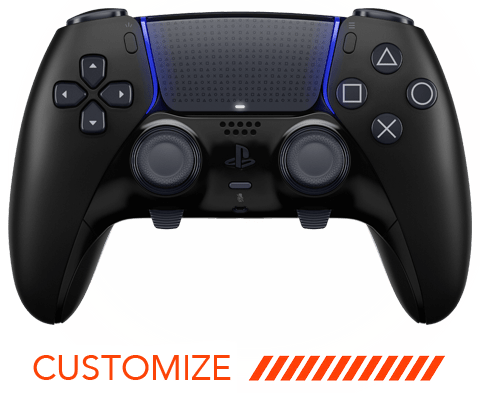
10Do you sell eSports / pro controllers?
Yes, with app-based remapping, back paddles and interchangeable thumbsticks.
11How long will a modded controller last?
About as long as a standard controller.
12Will my accessories work with it?
Yes. Accessories made for the official controller (charging docks, thumbstick toppers, chat adapters and more) work with ours.
13Can I put my own design on a controller?
Yes. Upload your artwork in our controller customizer.
14Do you sponsor players or creators?
Send your request to support@moddedzone.com.
15How do I contact ModdedZone?
- Phone: 1 (954) 289-9040
- Email: support@moddedzone.com
- Or use our contact form
Hours: Mon–Fri, 9 am–5 pm EST. We reply within 24–48 business hours.
Mailing address: 1241 Stirling Road, Suite 105, Dania Beach, FL 33004.
Returns & Refunds
Return policy, restocking fees and refunds.
01Do you accept exchanges?
Because every controller is made to order, we don't do exchanges. You can return it and buy a different one, or send it in for upgrades.
02How long do I have to return an item?
Send returns within 14 days of delivery. Refunds go to your original payment method 2–4 business days after we receive the return.
03Is there a restocking fee?
Yes: 15% for orders made in any customizer and 10% for all other orders. Original shipping, custom printed options and Same Day Assembly aren't refundable. Fees are waived for defective items.
04How do I start a return?
Contact us first. You need a return authorization before mailing anything back. We reply within 24–48 business hours.
05How do I track my return or repair?
We email you a ticket number. Use it with your email to open the customer portal and see the status.
06What condition does a return need to be in?
Non-defective returns must be like new, in the original packaging, with seals intact. Extra wear or damage is charged based on repair or replacement cost. You pay return shipping and the item is your responsibility until we receive it, so use a trackable service.
07I received a defective or wrong item.
Contact us right away and keep the packaging. Return within 14 days for a replacement, and ship it within 7 calendar days after your return is approved.
Warranty & Repairs
Coverage, repair turnaround and extended warranties.
01What does the warranty cover?
Controllers have a 90-day warranty from delivery covering defective parts, workmanship, and the modchip and its installation. Accessories are covered for 30 days. It doesn't cover accidents, misuse, neglect, power surges, unauthorized modifications or repairs, or excessive wear. Read the full warranty policy.
02Do you offer extended warranties?
- 1 Year MZ: same coverage as the standard warranty for a full year. Excess wear, including stick drift, isn't covered.
- 1 Year Armour: adds wear and tear and thumbstick drift (up to 2 claims per year). Accidents and misuse still aren't covered.
03How do I get a shipping label for a warranty repair?
Email support@moddedzone.com or call 1 (954) 289-9040 (Mon–Fri, 9 am–5 pm EST) with your order number. US customers get a prepaid label. Outside the US you pay to ship it to us, and we cover the warranty work and return shipping.
04How long do repairs take?
- Check-in: 1–2 days after it arrives
- In-warranty repairs: 2–3 business days
- Out-of-warranty repairs/upgrades: 2–3 business days after you approve and pay the quote
05Can you repair a controller that's out of warranty?
Yes, for as long as you own it. A technician inspects it and emails you a quote you can pay by card or PayPal. If we replace the main board, you get a fresh 90-day warranty. Contact us for a repair authorization before mailing it.
06How much does a repair or upgrade cost?
It depends on the job. Most prices line up with the options on our website, and we'll always send a quote first.
07Can I send my ModdedZone controller in for an upgrade?
Yes. Contact us first to get a repair/upgrade authorization; we reply within 24–48 business hours.
MZ Titan: Getting Started
Manuals, videos and getting the most from your mods.
01Where can I find the user manual?
Every modded controller ships with a printed manual. You can also view the MZ Titan OS manual and the Get Started guide online.
02Are there video tutorials?
03How do I get the most out of my mods?
Learn each mod on its own first. Some only work well with certain weapons or games, so just turning a mod on won't automatically give you an edge. Once you're comfortable, try combining two or more. The MZ Titan app has settings for each mod.
04How can I test my controller for drift or button problems?
Use our controller tester & calibration page to check sticks, triggers and buttons.
Set up & fix your controller
Pairing, factory reset, stick drift, calibration and charging. Pick your controller.
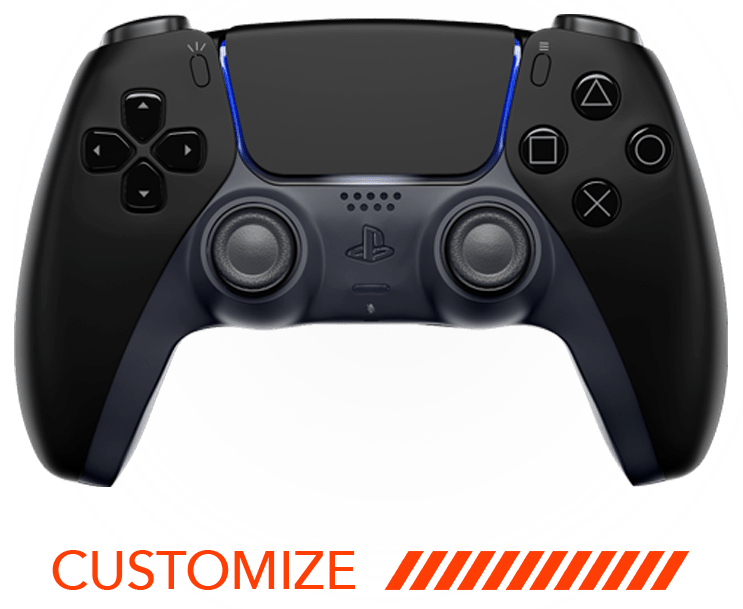
PS5 Controller
Pairing, reset, touchpad, drift and calibration.
01How do I connect my PS5 controller?
With the console on, connect the controller with a USB cable and press the PS button. After that you can unplug it and play wirelessly. It pairs with one console at a time, and up to four controllers can be connected.
02How do I factory reset my PS5 controller?
- Turn off the console.
- Press the small reset button on the back of the controller with a small tool and hold 3–5 seconds.
- Connect the controller with a USB cable and press the PS button.
03My touchpad is stiff or clicks on its own.
Press down on the bottom of the touchpad with both thumbs and slide them toward the top while pressing. Do this 2–3 times, then press the touchpad up and down a few times. Still sticking? Contact us.
04My PS5 controller has drift, slow turn or stick movement.
Try these in order:
- Reset the controller (and the console if needed).
- Blow canned compressed air around the thumbstick modules to clear dust and debris.
- In the game's settings, raise the thumbstick deadzone a little at a time until the drift stops. Repeat for each game.
- If the drift is up-and-down, check the Anti Recoil mod settings in the MZ Titan app, or turn it off to test.
- Still drifting? Try the thumbstick calibration below, then contact us.
A tiny amount of off-center stick movement is normal on every controller. Deadzones are a software setting, and games with small default deadzones (Fortnite, Apex Legends, Warzone) can make it more noticeable.
05How do I calibrate my PS5 thumbsticks?
Calibrating can fix drift without sending the controller in.
- Connect the controller to a PC or Mac with a USB cable.
- Open dualshock-tools.github.io in Google Chrome.
- Follow the prompts and confirm the connection.
- Calibrate the stick center and the stick range (video guides).
- Click Save changes permanently.
Still drifting? contact us.
06What mods can I add to a PS5 controller?
Rapid Fire hardware, the FPS mod pack or the Ultimate mod pack. Controllers ship without technical mods unless you add them. See all mods.
07Can I install PS5 firmware updates?
Yes. Install the firmware updates your console suggests. They won't affect the modchip.
08Can I send in my own PS5 controller to be modded?
Not right now. Sign up for our newsletter or follow us on social media and we'll announce it if that changes.
09Can I use third-party thumbstick toppers?
Yes. Our controllers are built on authentic Sony controllers, so standard toppers fit.
10Does it use the same internal parts as a standard PS5 controller?
Yes. It's built on standard Sony DualSense technology with our customization added.
11What is the PS5 controller's wireless range?
About 6–9 m (20–30 ft). Walls, wireless interference, or a console inside a cabinet or facing away from you can shorten it. Point the controller toward the front of the console.
12Can I charge it from a wall outlet?
We don't recommend it. Wall chargers can damage the battery, board or modchip, and it may void your warranty. Charge from the console or a computer USB port instead.
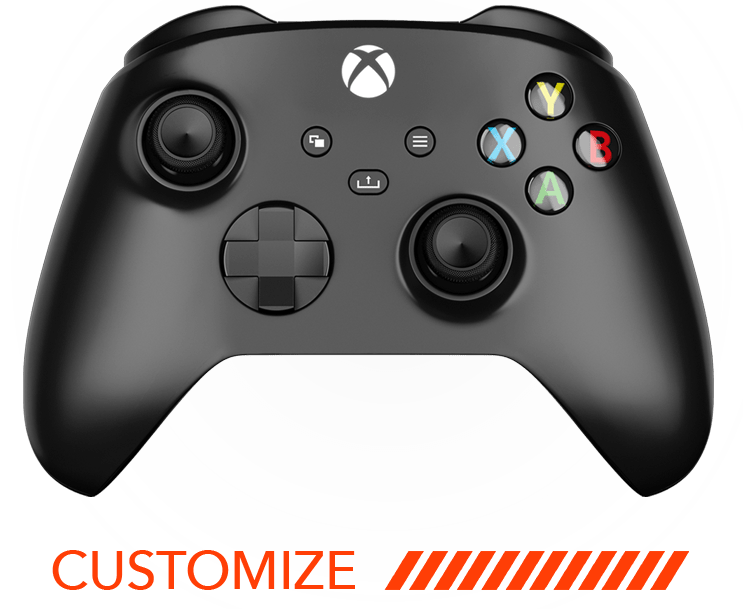
Xbox Series X|S Controller
Connecting, headsets, rumble, drift and calibration.
01Where are the Xbox user guide and videos?
02How do I connect my Xbox Series X|S controller?
Console (wired): plug a USB-C cable into the controller and a console USB port, then press the Xbox button.
Console (wireless): press and hold the Sync button on the controller, then the Sync button on the console, until the Xbox button LED goes solid.
PC: wired with USB-C, or over Bluetooth: hold Sync until the Xbox button blinks, then add "Xbox Wireless Controller" in Bluetooth settings.
Mac: turn on Bluetooth, hold Sync until the Xbox button blinks, then connect to "Xbox Wireless Controller".
Android: pair in Bluetooth settings or connect with a USB-C cable.
iPhone / iPad: needs iOS or iPadOS 13 or later. Pair in Settings › Bluetooth. You'll need to re-sync to your console afterward to play on console again.
Xbox Game Pass (mobile/cloud): once paired, Game Pass detects the controller automatically. See Microsoft Support.
03Does it work with my headset?
Yes. Wired 3.5 mm headsets plug into the controller, wired USB headsets plug into the console, and headsets with a base or mixer connect to a console USB port. If you get no sound with a headset that connects to the console, power-cycle the amp or base and pick your profile again.
04Does it work with chat adapters?
Yes, including the Xbox Stereo Headset Adapter and any adapter that works with a standard controller.
05Which PC and mobile systems are supported?
- Windows 10/11: Bluetooth and wired
- Windows 7: wired only
- Mac: Bluetooth only
- Android: Bluetooth only
- iOS 10 and later: Bluetooth only
06Can the rumble motors be removed? How much lighter is it?
Yes, choose it as an option in the controller builder. It weighs about 9.5 oz with rumble motors and 7.7 oz without.
07Can I use an Xbox charging stand?
Yes. All Xbox charging stands, docks and standard controller accessories work.
08Can the controller turn on my console?
Yes. Press the Xbox button.
09My Xbox controller has drift, slow turn or stick movement.
Try these in order:
- Reset the controller (and the console if needed).
- Blow canned compressed air around the thumbstick modules to clear dust and debris.
- In the game's settings, raise the thumbstick deadzone a little at a time until the drift stops. Repeat for each game.
- If the drift is up-and-down, check the Anti Recoil mod settings in the MZ Titan app, or turn it off to test.
- Still drifting? Try the thumbstick calibration below, then contact us.
A tiny amount of off-center stick movement is normal on every controller. Deadzones are a software setting, and games with small default deadzones (Fortnite, Apex Legends, Warzone) can make it more noticeable.
10How do I calibrate my Xbox thumbsticks?
Calibrating can fix drift without sending the controller in. Use Microsoft's Xbox Controller Calibration Guide. If drift continues, contact us.
11Can I install Xbox firmware updates?
Yes. Install the firmware updates your console suggests. They won't affect the modchip.
12Can I send in my own Xbox controller to be modded?
Not right now. Sign up for our newsletter or follow us on social media and we'll announce it if that changes.
13Can I use third-party thumbstick toppers?
Yes. Our controllers use authentic Microsoft parts, so standard toppers fit.
14Does it use the same internal parts as a standard Xbox controller?
Yes. It's built on standard Xbox Series X|S controller technology with our customization added.
15What is the Xbox controller's wireless range?
About 6–9 m (20–30 ft). Walls, wireless interference, or a console inside a cabinet or facing away from you can shorten it. Point the controller toward the front of the console.
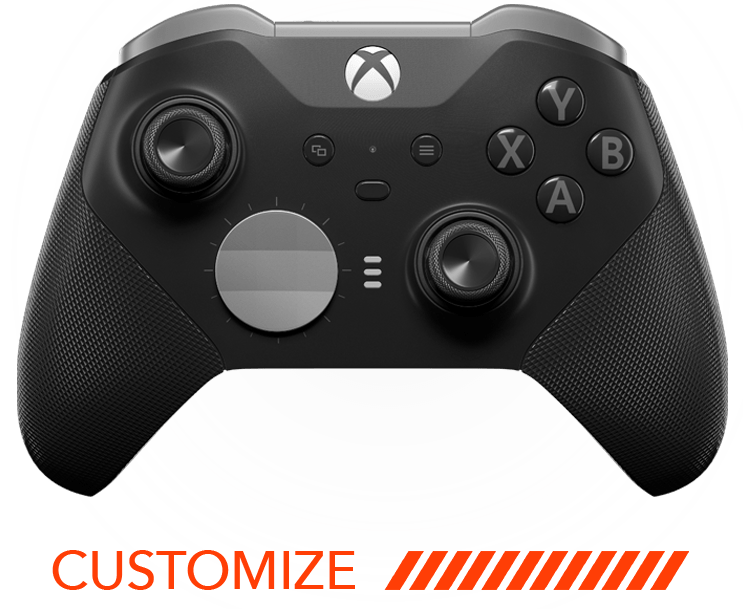
Xbox Elite Series 2 Controller
Connecting, drift, calibration and charging.
01Where are the Elite user guide and videos?
02How do I connect my Elite Series 2 controller?
Console (wired): plug a USB-C cable into the controller and a console USB port, then press the Xbox button.
Console (wireless): press and hold the Sync button on the controller, then the Sync button on the console, until the Xbox button LED goes solid.
PC: wired with USB-C, or over Bluetooth: hold Sync until the Xbox button blinks, then add "Xbox Wireless Controller" in Bluetooth settings.
Mac: turn on Bluetooth, hold Sync until the Xbox button blinks, then connect to "Xbox Wireless Controller".
Android: pair in Bluetooth settings, or connect with a USB-C cable.
iPhone / iPad: needs iOS or iPadOS 13 or later. Pair in Settings › Bluetooth. You'll need to re-sync to your console afterward to play on console again.
Xbox Game Pass (mobile/cloud): once paired, Game Pass detects the controller automatically. See Microsoft Support.
03Which PC and mobile systems are supported?
- Windows 10/11: Bluetooth and wired
- Windows 7: wired only
- Mac: Bluetooth only
- Android: Bluetooth only
- iOS 10 and later: Bluetooth only
04My Elite controller has drift, slow turn or stick movement.
Try these in order:
- Reset the controller (and the console if needed).
- Blow canned compressed air around the thumbstick modules to clear dust and debris.
- In the game's settings, raise the thumbstick deadzone a little at a time until the drift stops. Repeat for each game.
- If the drift is up-and-down, check the Anti Recoil mod settings in the MZ Titan app, or turn it off to test.
- Still drifting? Try the thumbstick calibration below, then contact us.
A tiny amount of off-center stick movement is normal on every controller. Deadzones are a software setting, and games with small default deadzones (Fortnite, Apex Legends, Warzone) can make it more noticeable.
05How do I calibrate my Elite thumbsticks?
Calibrating can fix drift without sending the controller in. Use Microsoft's Xbox Controller Calibration Guide. If drift continues, contact us.
06Can I install firmware updates?
Yes. Install updates through your console or the Xbox Accessories app. They won't affect the modchip.
07Can I charge it from a wall outlet?
We don't recommend it. Wall chargers can damage the battery, board or modchip, and it may void your warranty. Charge from the console or a computer USB port instead.
08Can the controller turn on my console?
Yes. Press the Xbox button.
09Can I send in my own Elite controller to be modded?
Not right now. Sign up for our newsletter or follow us on social media and we'll announce it if that changes.
10Can I use third-party thumbstick toppers?
Yes. Our controllers use authentic Microsoft parts.
11Does it use the same internal parts as a standard Elite Series 2?
Yes. It's built on standard Xbox Elite Series 2 technology with our customization added.
12What is the Elite controller's wireless range?
About 6–9 m (20–30 ft). Walls, wireless interference, or a console inside a cabinet or facing away from you can shorten it. Point the controller toward the front of the console.
PS4 Controller
PS5 compatibility, reset, touchpad, drift and calibration.
01Where are the PS4 user guide and videos?
02Does the MZ Titan PS4 controller work on a PS5?
It works with PS4 games played on a PS5, but not with PS5 games.
03How do I factory reset my PS4 controller?
- Turn off and unplug the PS4.
- Find the small reset button on the back of the controller, near L2.
- Press and hold it with a small tool for 3–5 seconds.
- Connect the controller to the PS4 with a USB cable and press the PS button.
- A blue light bar means it's paired.
04My PS4 touchpad is stiff.
Press down on the bottom of the touchpad with both thumbs and slide upward while pressing. Repeat 2–3 times, then press the touchpad up and down to check it clicks smoothly. Still stiff? Contact us.
05My PS4 controller has drift, slow turn or stick movement.
Try these in order:
- Reset the controller (and the console if needed).
- Blow canned compressed air around the thumbstick modules to clear dust and debris.
- In the game's settings, raise the thumbstick deadzone a little at a time until the drift stops. Repeat for each game.
- If the drift is up-and-down, check the Anti Recoil mod settings in the MZ Titan app, or turn it off to test.
- Still drifting? Try the thumbstick calibration below, then contact us.
A tiny amount of off-center stick movement is normal on every controller. Deadzones are a software setting, and games with small default deadzones (Fortnite, Apex Legends, Warzone) can make it more noticeable.
06How do I calibrate my PS4 thumbsticks?
Calibrating can fix drift without sending the controller in.
- Connect the controller to a PC or Mac with a USB cable.
- Open dualshock-tools.github.io in Google Chrome.
- Follow the prompts and confirm the connection.
- Calibrate the stick center and the stick range (video guides).
- Click Save changes permanently.
Still drifting? contact us.
07Can I install DualShock firmware updates?
Yes. Install the firmware updates your console suggests. They won't affect the modchip.
08Can I charge it from a wall outlet?
We don't recommend it. Wall chargers can damage the battery, board or modchip, and it may void your warranty. Charge from the console or a computer USB port instead.
09Can I send in my own PS4 controller to be modded?
Not right now. Sign up for our newsletter or follow us on social media and we'll announce it if that changes.
10Does it use the same internal parts as a standard PS4 controller?
Yes. It's built on standard Sony DualShock 4 technology with our customization added.
11What is the PS4 controller's wireless range?
About 6–9 m (20–30 ft). Walls, wireless interference, or a console inside a cabinet or facing away from you can shorten it. Point the controller toward the front of the console.
Nothing for “”
Try another word, like “drift”, “refund” or “shipping”, or contact us and a real person will help.
Still need help?
Our team replies within 24–48 business hours, Mon–Fri 9 am–5 pm EST.