


How to Customize an Xbox Controller: Design, Feel & Performance (2026 Guide)
A custom Xbox controller doesn't have to mean just a new color. Between the Xbox Series X|S pad and the Xbox Elite Wireless Controller Series 2, there's a real range of what you can change — how it looks, how it feels in your hands, and how it performs once you're in a match.
The easiest way to plan a build is to split the decision into three parts: look, feel, and performance. This guide walks through each one and shows exactly what's possible on a ModdedZone custom Xbox controller, Xbox One controller, or Xbox Elite build.
Table of Contents
1. What can you customize on an Xbox controller?
2. Xbox controller design and colors
3. How to put your own design on a custom controller
4. Thumbsticks and triggers: standard vs. Elite Series 2
5. MZ Titan OS: software-driven performance mods
6. Remappable rear paddles (Elite Series 2 & Elite 2 Core)
7. Buttons and D-pad customization
8. Grip and controller feel
9. Building an Xbox controller for your playstyle
10. Which ModdedZone Xbox build should you choose?
11. How to build your own custom Xbox controller
12. Frequently asked questions
What Can You Customize on an Xbox Controller?
Every genuine Xbox controller ModdedZone builds on — Xbox Series X|S or Xbox Elite Wireless Controller Series 2 — starts as authentic Microsoft hardware. From there, customization splits into what changes how it looks, what changes how it feels, and what changes how it plays.
|
Visual Customization |
Feel |
Performance |
|
Faceplate & shell color |
Grip texture on the shell |
Remappable rear paddles (Elite only) |
|
Button & D-pad color |
Interchangeable thumbstick height (Elite only) |
MZ Titan OS mod chip + app |
|
Thumbstick style |
Adjustable trigger locks (Elite only) |
Rapid Fire, Anti Recoil & other mods |
|
Custom picture / graphic |
Thumbstick Drift Fix calibration |
|
|
Gamertag & badges |
Hall Effect option (separate wired controller) |
The biggest split to understand up front: paddles, adjustable trigger locks, and interchangeable thumbstick heights are native to the Xbox Elite Wireless Controller Series 2's own hardware — they aren't available on a standard Xbox Series X|S pad, custom or not. Design customization and MZ Titan OS mods, on the other hand, are available across both controller lines.
Xbox Controller Design and Colors
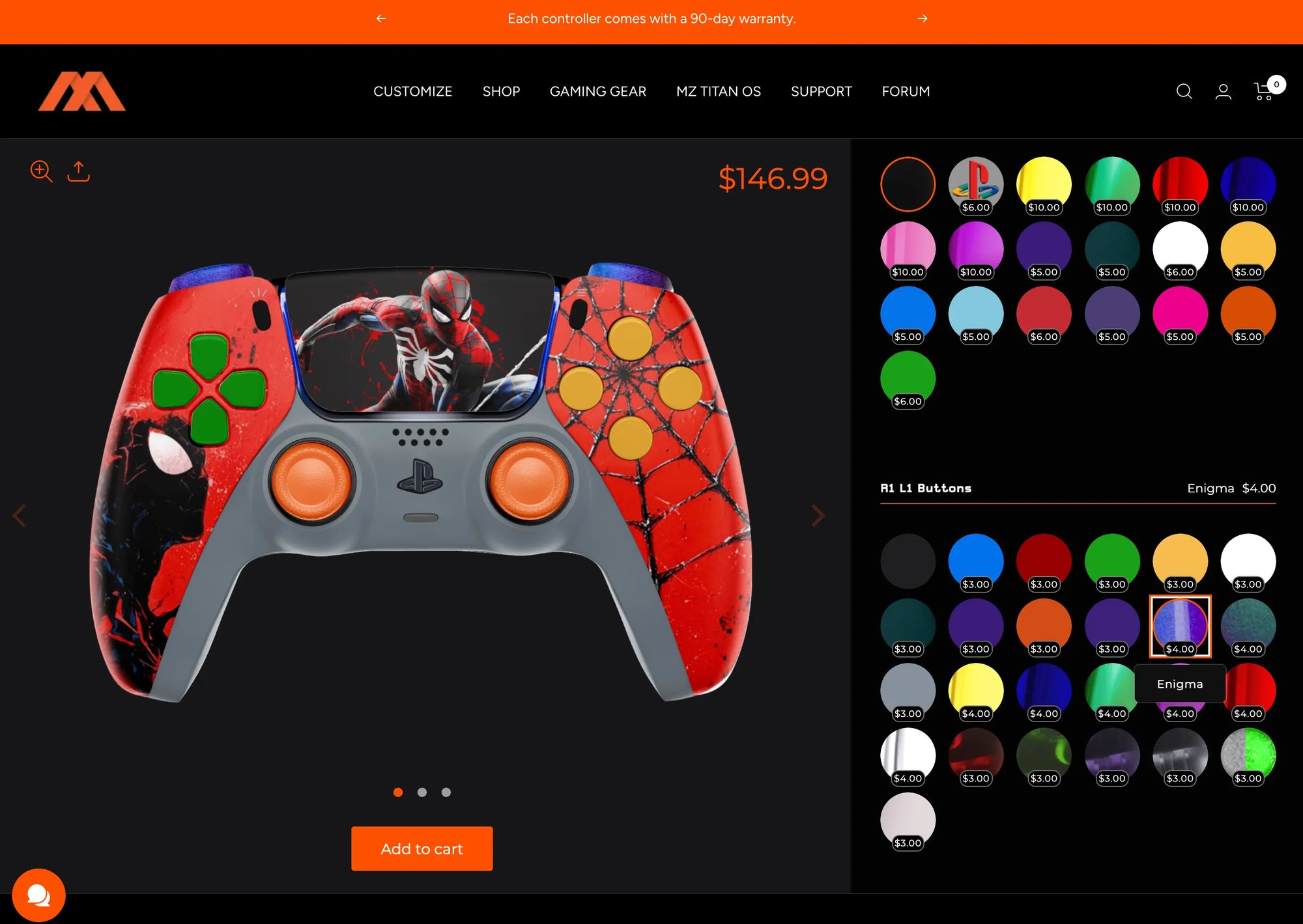
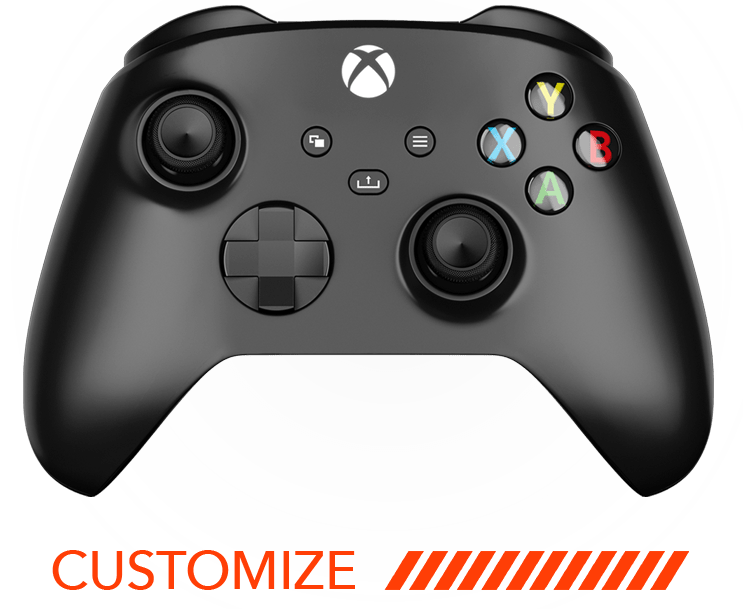
Design customization starts with the same two paths on either controller line. ModdedZone's Ready To Go, Signature, and Smart Pro Edition collections offer pre-finalized color and button combinations that ship with an optional 2-day assembly upgrade. Or you can start from scratch in the Xbox Series X Customizer or Xbox Elite Series 2 Customizer and choose your faceplate, shell color, button colors, thumbstick style, and D-pad individually.
Every ModdedZone Xbox controller — Series X|S or Elite — starts from a brand-new, authentic Microsoft controller, never a third-party base, which is worth knowing if you're comparing custom builds across sellers.
How to Put Your Own Design on a Custom Controller
Both Xbox customizers include two personalization add-ons on top of the base color and button selections:
-
Custom Picture Options — upload your own artwork or image to feature on the controller shell.
-
Gamertags & Badges — add your gamertag or a badge design directly onto the shell.
As with any custom artwork upload, use images or designs you have the rights to use. These options apply whether you're building a Series X|S controller or an Elite Series 2, so a fully personalized design isn't limited to one product line.

Thumbsticks and Triggers: Standard vs. Elite Series 2
This is where the two Xbox controller lines diverge the most, because the Elite Series 2's hardware genuinely includes adjustable components the standard pad doesn't.
Standard Xbox Series X|S Thumbsticks
The Xbox Series X|S Customizer builds on the genuine Microsoft Xbox Wireless Controller, with its factory thumbsticks and trigger assembly. If drift becomes an issue down the line, MZ Titan OS's in-app Thumbstick Drift Fix lets you manually recalibrate the center position of either stick without mailing the controller in.
Elite Series 2: Adjustable-Tension Sticks & Interchangeable Heights
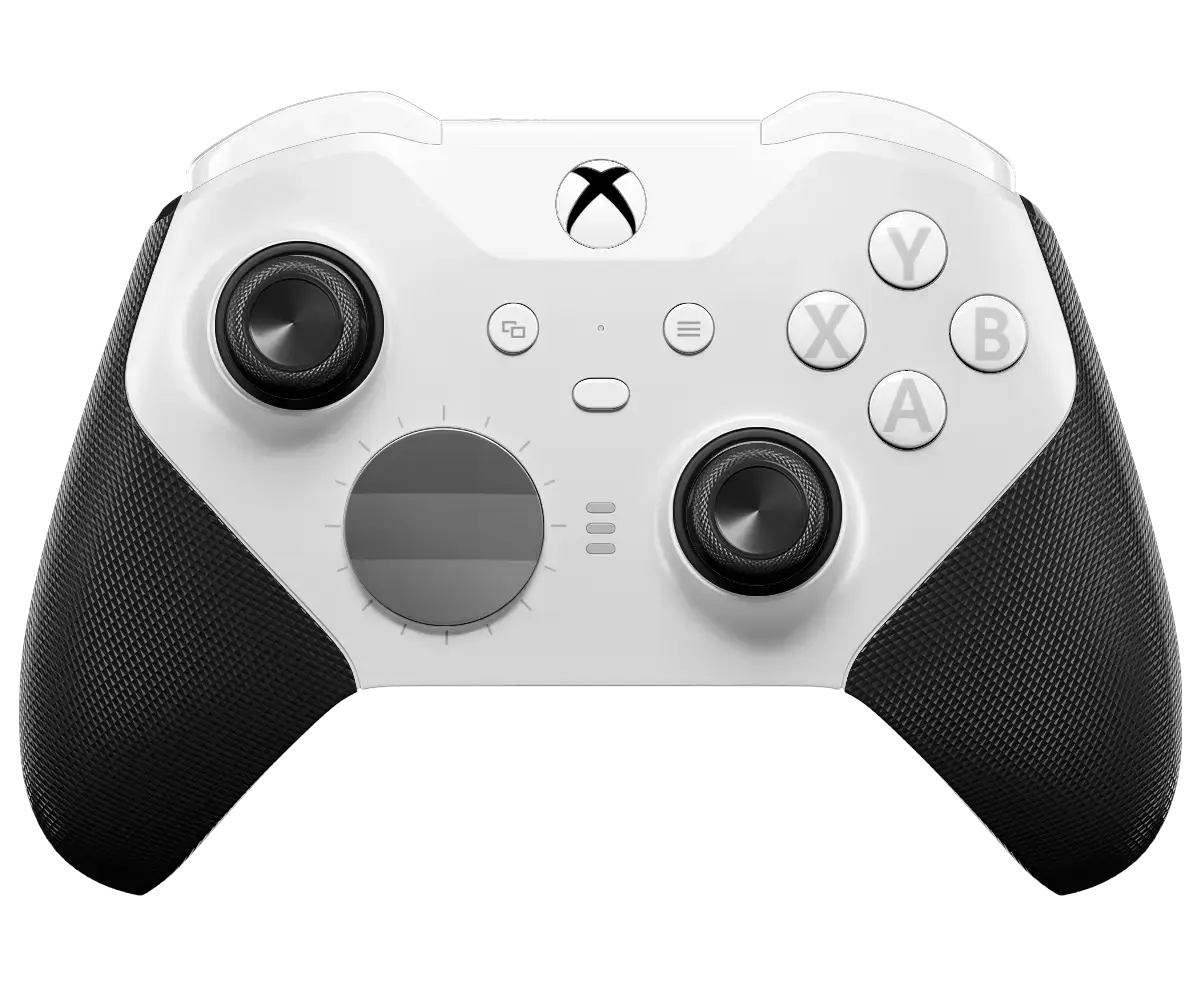
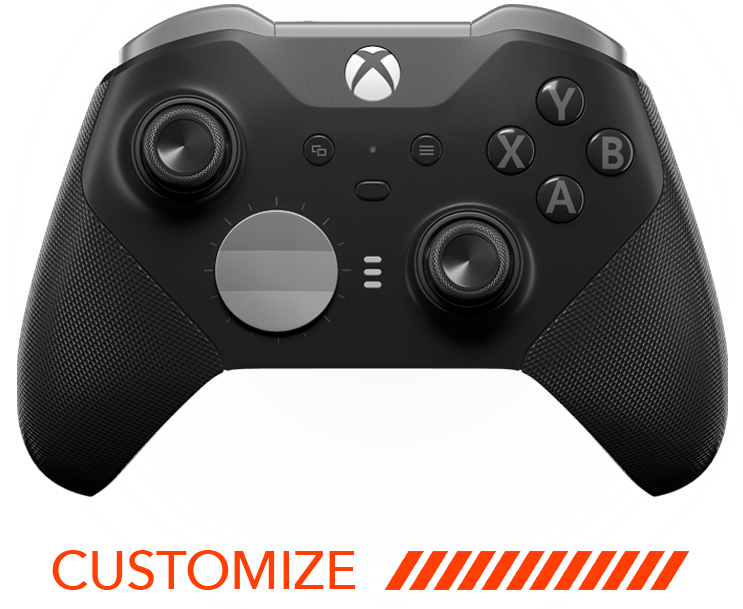
The Xbox Elite Wireless Controller Series 2 ships from Microsoft with interchangeable thumbstick components in multiple heights and dome shapes, plus adjustable-tension sticks you can tune to a lighter or firmer feel. ModdedZone's Elite Series 2 Customizer builds on top of this native hardware rather than replacing it, adding shell, button, and performance customization around Microsoft's own adjustable stick system.
Hall Effect: A Separate Wired Option
Neither the standard Series X|S customizer nor the Elite Series 2 currently ships with Hall Effect thumbsticks as default hardware. Players specifically looking for non-contact, drift-resistant Hall Effect sensing can look at the MODDEDZONE PowerA Advantage Hall Effect Wired Controller for Xbox Series X|S, a separate wired product built on PowerA's Hall Effect hardware — details are in ModdedZone's TMR Thumbsticks Explained guide.
Elite Series 2 Hair-Trigger Locks
The Elite Series 2's other native performance feature is adjustable trigger locks, which shorten trigger travel for faster shot activation in FPS games — a hardware feature the standard Series X|S pad doesn't have, since it isn't built with the Elite's trigger-stop mechanism.
MZ Titan OS: Software-Driven Performance Mods
Across both controller lines, the biggest performance layer that isn't tied to physical hardware is the MZ Titan mod chip and its companion app. Rather than requiring a specific hardware trigger or paddle to get an edge, MZ Titan OS lets you turn gameplay-adjusting mods on and off from your phone and reconfigure them any time.
Available hardware tiers at checkout:
-
No Modifications — cosmetic customization only, no mod chip installed.
-
Rapid Fire — MZ Titan chip pre-loaded with Rapid Fire, with the option to add more mods later via the app.
-
FPS Mod Pack — Rapid Fire, Burst Fire, Akimbo, Drop Shot, Jump Shot, Auto Scope, Quick Scope, Auto Hold Breath, and Auto Sprint.
-
Ultimate Mod Pack — every mod available at time of purchase, including Advanced and Horizontal Anti Recoil, Bunny Hop, Aim Assist Abuse, Auto Turbo, Macro Mod, and game-specific packs for Call of Duty, Battlefield, and The Division.
Build custom mod profiles for different games in the app, then switch between them in seconds — the mod behavior lives in the chip and app, so it can be reconfigured long after the controller ships.
Remappable Rear Paddles (Elite Series 2 & Elite 2 Core)
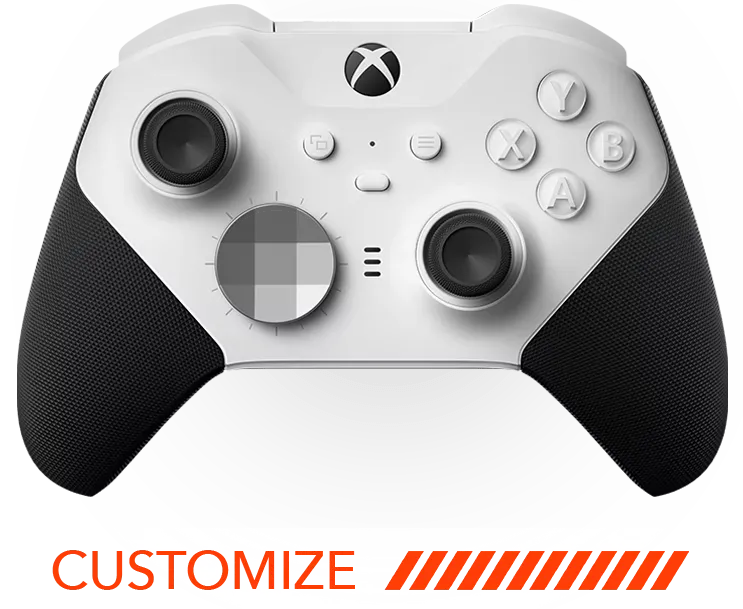
Rear paddles are native to the Xbox Elite Wireless Controller Series 2 and Elite 2 Core — Microsoft builds them into the controller shell, and ModdedZone's Elite customizers let you configure remapping on top of that hardware. Assigning actions like jump, reload, or weapon swap to the paddles means you can trigger them without moving your thumbs off the sticks, which is the single biggest mechanical advantage the Elite line has over a standard Series X|S pad.
This is specific to the Elite lineup. A standard Xbox Series X|S controller — custom or stock — doesn't have a paddle system built into its shell, since Microsoft doesn't manufacture that pad with rear controls.
Buttons and D-Pad Customization
Face buttons, the D-pad, and the shell can all be recolored and matched — or deliberately contrasted — on either controller line. This is a visual and material choice: the goal is a combination that looks the way you want, whether that's a clean monochrome build or a shell with contrasting accent buttons and thumbsticks.
Grip and Controller Feel
Every ModdedZone Xbox controller is built on an authentic Microsoft pad, which matters for long sessions. The Elite Series 2 additionally ships with Microsoft's wrap-around rubberized grip as native hardware, giving it a noticeably different in-hand feel than the standard Series X|S shell. On either line, shell finish and button material are the main levers for changing how the controller feels without changing the underlying ergonomics.
Building an Xbox Controller for Your Playstyle
The right build depends on the games you play and whether the Elite's hardware-level adjustability is worth the step up in price.
Competitive FPS Build
Elite Series 2 or Elite 2 Core, using the adjustable-tension sticks, hair-trigger locks, and remappable paddles, paired with the FPS Mod Pack or Ultimate Mod Pack for Rapid Fire, Anti Recoil, and Quick Scope. A textured grip shell is a common pairing for long ranked sessions.
All-Round Build
Xbox Series X|S Customizer with No Modifications or Rapid Fire only, keeping the controller close to stock behavior for players who move between shooters, sports titles, and single-player games without wanting a setup tuned around one genre.
Design-Focused Build
Full custom shell, button colors, a custom picture upload, and a gamertag or badge on either controller line, with no mod chip installed. Performance mods can always be added later since MZ Titan OS is app-based and doesn't require ordering everything up front.

Which ModdedZone Xbox Build Should You Choose?
|
Your Priority |
Recommended Options |
|
Competitive FPS with paddles & trigger locks |
Elite Series 2 or Elite 2 Core, FPS or Ultimate Mod Pack, textured grip |
|
Budget-friendly performance mods |
Xbox Series X|S Customizer, Rapid Fire or FPS Mod Pack |
|
Multiple genres / casual play |
Xbox Series X|S Customizer, No Modifications or Rapid Fire only |
|
Personal design over performance |
Custom shell, custom picture, gamertag/badge, no mod chip |
|
Drift-resistant sensing |
PowerA Advantage Hall Effect Wired Controller (separate product) |
How to Build Your Own Custom Xbox Controller
The fastest way to start is to decide what you want to change before opening the customizer:
-
Choose your base — a pre-designed Ready to Go controller, or a fully custom build in the Xbox Series X Customizer or Xbox Elite Series 2 Customizer.
-
Pick your shell, button, and D-pad colors, and add a custom picture or gamertag/badge if you want a personalized graphic.
-
Decide on your hardware tier — No Modifications, Rapid Fire, FPS Mod Pack, or Ultimate Mod Pack.
-
If you're building on the Elite Series 2 or Elite 2 Core, configure your paddle remapping, thumbstick height, and trigger lock preferences.
-
Check out — Ready to Go orders ship with an optional 2-day assembly upgrade; fully custom builds take slightly longer to assemble.
Start your build → moddedzone.com/pages/xbox-modded-controllers
Frequently Asked Questions
Can you customize an Xbox controller?
Yes. Both the Xbox Series X|S controller and the Xbox Elite Wireless Controller Series 2 can be customized visually — shell, buttons, D-pad, custom pictures, and gamertags/badges — and functionally, through MZ Titan OS software mods and, on the Elite line, native paddle and trigger hardware.
What parts of an Xbox controller can be customized?
Visually: the faceplate, shell color, face buttons, D-pad, and thumbstick style. Functionally: MZ Titan OS mods across both lines, plus paddles, adjustable-tension sticks, and trigger locks that are specific to the Elite Series 2 and Elite 2 Core.
Do all ModdedZone Xbox controllers have paddles?
No. Rear paddles are native to the Xbox Elite Wireless Controller Series 2 and Elite 2 Core hardware. The standard Xbox Series X|S controller doesn't have a built-in paddle system, so paddle remapping is only available on Elite-line builds.
What's the difference between customizing a Series X|S controller and an Elite Series 2 controller?
A Series X|S build focuses on shell, button, and D-pad customization plus MZ Titan OS software mods on genuine Microsoft hardware. An Elite Series 2 build adds native hardware adjustability on top of that — remappable paddles, interchangeable thumbstick heights, and adjustable trigger locks — at a higher starting price.
Can I get Hall Effect thumbsticks on my custom Xbox controller?
Not on the standard Series X|S or Elite Series 2 customizers, which use genuine Microsoft thumbstick hardware. For Hall Effect sensing specifically, ModdedZone offers a separate PowerA Advantage Hall Effect Wired Controller for Xbox Series X|S.
Are performance mods like Rapid Fire and Anti Recoil legal to use online?
This depends on the specific game and its terms of service. Mods like Rapid Fire and Anti Recoil operate at the hardware/firmware level, but some titles and ranked ladders restrict assistive hardware in competitive modes. Check the current rules for any game you plan to compete in officially before relying on these mods.
Can I customize a controller for a specific game like Call of Duty or Warzone?
Yes. The Ultimate Mod Pack includes Call of Duty-specific mods such as COD Slide Cancel, COD Armor Repair, and COD Auto Heal, alongside general FPS mods like Rapid Fire, Drop Shot, and Quick Scope, and MZ Titan OS lets you save separate mod profiles per game.
Will my custom Xbox controller work on Xbox One as well as Series X|S?
Yes. ModdedZone's Xbox controllers are built for broad compatibility across Xbox Series X|S, Xbox One, Windows 10/11 PC, and Bluetooth-enabled Mac, iOS, and Android devices.
Can I combine a custom design with performance mods and paddles in one build?
Yes. Shell colors, custom pictures, gamertags/badges, the MZ Titan OS hardware tier, and — on the Elite line — paddle and trigger configuration are all selected in the same customizer flow, so a single controller can be personalized and performance-tuned together.
Is a custom Xbox controller worth it over the stock pad?
It depends on what you'll actually use. If you want hardware-level adjustability — paddles, trigger locks, adjustable stick tension — the Elite Series 2 delivers that natively. If your priority is a distinct look plus software mods at a lower price, the Series X|S Customizer covers that without the Elite's price step-up.
Ready to build yours? Start with the Xbox Series X Customizer or the Xbox Elite Series 2 Customizer and choose your design, hardware, and MZ Titan OS mod tier in one build.
Build your custom Xbox controller → moddedzone.com/pages/xbox-modded-controllers
Competitor & SEO Notes (internal — remove before publishing)
This post is a sibling to How_to_Customize_a_PS5_Controller_2026.docx, built in the same how-to format (visual/feel/performance breakdown table, design walkthrough, thumbstick/trigger deep-dive, playstyle builds, comparison table, numbered how-to-build section, FAQ) at Erik's request, targeting the keywords custom xbox controller, xbox one controller, xbox controller, and custom controller.
-
AimControllers doesn't currently have a dedicated "How to Customize an Xbox Controller: Design & Performance" article matching their PS5 one. Structure was instead carried over from the PS5 post for consistency, with feature framing informed by AimControllers' general Xbox configurator pages (adjustable aim-stick tension/height, remappable paddles, smart triggers, rubberized grip) — reframed entirely around ModdedZone's actual Xbox Series X|S and Elite Series 2 hardware rather than AIM's specific claims.
-
Checked against moddedzone.com/blogs/news before finalizing. The existing "Best Xbox Custom Controller 2026: The Complete ModdedZone Guide" post covers materially overlapping ground (MZ Titan chip, paddles, mod packs, lineup, FAQ on legality/compatibility/warranty/price), so this post was deliberately shaped as a step-by-step customization walkthrough rather than a buying-guide/lineup-comparison, matching the PS5 post's angle instead of duplicating the existing Xbox post's structure.
-
All FAQ questions and answers were written fresh for this post and avoid repeating the existing Xbox guide's specific Q&A pairs (e.g., "What is the MZ Titan modchip?", "Is a modded Xbox controller legal in online multiplayer?", "Can I design an Xbox controller with my own photo?") — this post's FAQ instead focuses on paddle/trigger-lock availability by controller line and Series X|S vs. Elite Series 2 differences, which the existing post doesn't cover in FAQ form.
-
Unlike the PS5 post, paddles, adjustable-tension thumbsticks, and trigger locks are presented as real, confirmed features here — but explicitly scoped to the Xbox Elite Wireless Controller Series 2 / Elite 2 Core hardware only, with the FAQ directly stating the standard Series X|S controller does not have a paddle system, to avoid implying parity across both lines.
-
Hall Effect is again kept separate from the main customizer claims — presented as a distinct PowerA-based wired product, consistent with the earlier TMR Thumbsticks blog post, rather than claimed as standard hardware on either Xbox customizer.