MZ Titan OS: Get Started
Download the MZ Titan app, connect your modded controller and find your way around the app in a few minutes.
What you'll learn
- Download and open the MZ Titan app
- Connect your controller
- Find mods, profiles and settings
Step-by-step video guides for your modded controller: set up the MZ Titan app, adjust mods and paddles, create profiles, fix connection issues and see every mod in action.
Download the MZ Titan app, connect your modded controller and find your way around the app in a few minutes.
New to MZ Titan? Watch these in order and your controller will be set up the way you like.
Download the MZ Titan app, connect your modded controller and find your way around the app in a few minutes.
Save your favorite mods and settings as a profile for each game.
Fine-tune each mod, like the rate of fire or anti recoil strength, so it fits your game and weapon.
Remap your back paddles to any button and set up paddle modes like turbo and mod toggles.
Quick demo showing just how effortless it is to fine-tune your anti-recoil settings and dominate every match with MZ Titan OS controllers.
Precision, control, and pure advantage — all at your fingertips.
Want to shoot semi-automatic weapons faster?
Need quicker trigger response and improved firing speed?
Then the Rapid Fire Mod is the feature you need.
In this video, we demonstrate how to enable and adjust the Controller Layout Mod on the ModdedZone MZ Titan 2.0 mod chip.Are you playing with a custom button layout instead of the default controls?Using R1/L1 instead of R2/L2? Tactical? Flipped? Bumper Jumper? Custom layouts?Then this is the mod you NEED
Search above or pick a chapter. Videos play right here on the page.
Here’s a quick demo showing just how effortless it is to fine-tune your anti-recoil settings and dominate every match with MZ Titan OS controllers.
Precision, control, and pure advantage — all at your fingertips.
How to enable and adjust the Controller Layout Mod on the ModdedZone MZ Titan 2.0 mod chip.
In this video, we demonstrate how to enable and adjust the Controller Layout Mod on the ModdedZone MZ Titan 2.0 mod chip.Are you playing with a custom button layout instead of the default controls?Using R1/L1 instead of R2/L2? Tactical? Flipped? Bumper Jumper? Custom layouts?Then this is the mod you NEED.The Controller Layout Mod allows your mods to work correctly even when your in-game button layout is changed from DEFAULT. Without this adjustment, many mods may activate incorrectly or not work as intended.🔥 In this tutorial, we show:• How to enable the Layout Mod• How to remap controls correctly• How to make mods work with custom layouts• R1/L1 setup guide• Common setup mistakes to avoid• How to save your settings in the MZ Titan App⚡ Compatible with:• PS5 Modded Controllers• Xbox Modded Controllers• MZ Titan OS / MZ Titan 2.0Whether you use flipped triggers, tactical layouts, or fully customized controls, this feature keeps your mods synced perfectly with your gameplay setup.
Using akimbo pistols or dual weapons in your favorite FPS games?
Want your mods to work correctly while dual wielding?
In this video, we demonstrate how to enable and adjust the Dropshot Mod on the ModdedZone MZ Titan 2.0 mod chip
In this video, we demonstrate how to enable and adjust the Crouch Shot Mod on the ModdedZone MZ Titan 2.0 mod chip.
The Crouch Shot Mod automatically performs a crouch action while firing, helping improve movement during combat and making your character a more difficult target to track. This feature is perfect for competitive FPS gameplay and close-range fights.
🔥 In this tutorial, we show:
• How to enable the Crouch Shot Mod
• How the mod works in-game
• Best settings for faster reactions
• How to combine Crouch Shot with other mods
• Common setup mistakes to avoid
• How to save settings in the MZ Titan App
⚡ Compatible with:
• PS5 Modded Controllers
• Xbox Modded Controllers
• MZ Titan OS / MZ Titan 2.0
Whether you play Call of Duty, Warzone, Apex Legends, Battlefield, Fortnite, or other FPS games, the Crouch Shot Mod helps improve movement, survivability, and overall gameplay performance.
How to enable and adjust the Burst Fire Mod on the ModdedZone MZ Titan 2.0 mod chip.
Want better weapon control and improved accuracy?
Need more consistent burst shooting during gunfights?
Then the Burst Fire Mod is the perfect feature for your setup.
The Burst Fire Mod automatically converts compatible weapons into controlled burst-fire weapons by firing a preset number of shots with a single trigger pull. This helps improve recoil control, accuracy, ammo management, and overall shooting consistency.
🔥 In this tutorial, we show:
• How to enable the Burst Fire Mod
• How Burst Fire works in-game
• How to adjust burst speed and shot count
• Best settings for different weapons
• How to improve recoil control and accuracy
• How to combine Burst Fire with other mods
• Common setup mistakes to avoid
• How to save settings in the MZ Titan App
⚡ Compatible with:
• PS5 Modded Controllers
• Xbox Modded Controllers
• MZ Titan OS / MZ Titan 2.0
Whether you play Call of Duty, Warzone, Battlefield, Apex Legends, Fortnite, or other FPS games, the Burst Fire Mod helps provide smoother shooting, better control, and improved precision during combat.

In this video, we demonstrate how to enable and adjust the Auto Hold Breath Mod on the ModdedZone MZ Titan 2.0 mod chip.
Want steadier sniper aim?
Need better long-range accuracy without manually holding your breath every time?
Then the Auto Hold Breath Mod is the perfect feature for your setup.
The Auto Hold Breath Mod automatically activates the hold breath function while aiming down sights with sniper rifles or scoped weapons. This helps stabilize your aim instantly, reduce scope sway, and improve precision during long-range engagements.
🔥 In this tutorial, we show:
• How to enable the Auto Hold Breath Mod
• How the mod works in-game
• How to improve sniper accuracy
• Best settings for scoped weapons
• How to combine Auto Hold Breath with other mods
• Common setup mistakes to avoid
• How to save settings in the MZ Titan App
⚡ Compatible with:
• PS5 Modded Controllers
• Xbox Modded Controllers
• MZ Titan OS / MZ Titan 2.0
Whether you play Call of Duty, Warzone, Battlefield, Apex Legends, or other FPS games with sniper mechanics, the Auto Hold Breath Mod helps improve aim stability, precision, and reaction time during long-range fights.
In this video, we demonstrate how to enable and adjust the Auto Scope Mod on the ModdedZone MZ Titan 2.0 mod chip.
Want faster sniper reactions?
Need quicker aiming without manually holding multiple buttons?
Then the Auto Scope Mod is the perfect feature for your setup.
The Auto Scope Mod automatically activates aiming down sights (ADS) with a single trigger action, helping speed up sniper shots and improve reaction time during fast-paced gameplay. This feature is designed for players who want smoother scoped weapon handling and quicker target acquisition.
🔥 In this tutorial, we show:
• How to enable the Auto Scope Mod
• How the mod works in-game
• Faster ADS setup for sniper rifles
• Best settings for quick-scoping gameplay
• How to combine Auto Scope with other mods
• Common setup mistakes to avoid
• How to save settings in the MZ Titan App
⚡ Compatible with:
• PS5 Modded Controllers
• Xbox Modded Controllers
• MZ Titan OS / MZ Titan 2.0
Whether you play Call of Duty, Warzone, Battlefield, Apex Legends, or other FPS games with sniper mechanics, the Auto Scope Mod helps improve reaction time, aiming speed, and overall scoped weapon performance.
Want to become harder to hit during gunfights?
Need faster movement and more aggressive gameplay mechanics?
Then the Jump Shot Mod is the perfect feature for your setup.
The Jump Shot Mod automatically performs a jump action while shooting, helping create unpredictable movement during combat and making it more difficult for opponents to track your character. This feature is especially useful during close-range fights and competitive FPS gameplay.
🔥 In this tutorial, we show:
• How to enable the Jump Shot Mod
• How the mod works in-game
• Best settings for movement and timing
• How to improve reaction speed during gunfights
• How to combine Jump Shot with other mods
• Common setup mistakes to avoid
• How to save settings in the MZ Titan App
⚡ Compatible with:
• PS5 Modded Controllers
• Xbox Modded Controllers
• MZ Titan OS / MZ Titan 2.0
Whether you play Call of Duty, Warzone, Apex Legends, Fortnite, Battlefield, or other FPS games, the Jump Shot Mod helps improve movement, reaction time, and overall combat performance.
In this video, we demonstrate how to enable and adjust the Quick Scope Mod on the ModdedZone MZ Titan 2.0 mod chip.
Want faster sniper shots and smoother quick-scoping?
Need quicker ADS timing for fast-paced sniper gameplay?
Then the Quick Scope Mod is the perfect feature for your setup.
The Quick Scope Mod is designed to help streamline the quick-scoping process by automatically optimizing aiming and firing timing for scoped weapons. This feature helps improve sniper reaction speed, target acquisition, and overall weapon responsiveness during competitive gameplay.
🔥 In this tutorial, we show:
• How to enable the Quick Scope Mod
• How the mod works in-game
• Best settings for sniper rifles
• How to improve quick-scoping timing
• Faster ADS and firing setup
• How to combine Quick Scope with other mods
• Common setup mistakes to avoid
• How to save settings in the MZ Titan App
⚡ Compatible with:
• PS5 Modded Controllers
• Xbox Modded Controllers
• MZ Titan OS / MZ Titan 2.0
Whether you play Call of Duty, Warzone, Battlefield, Apex Legends, or other FPS games with sniper gameplay, the Quick Scope Mod helps improve speed, precision, and overall sniper performance.
In this video, we demonstrate how to enable and adjust the Auto Ping Mod on the ModdedZone MZ Titan 2.0 mod chip.
Want to mark enemies faster during combat?
Need quicker team communication without manually pressing the ping button every time?
Then the Auto Ping Mod is the perfect feature for your setup.
The Auto Ping Mod automatically activates the ping action while aiming or engaging enemies, helping improve awareness, faster callouts, and better team coordination during gameplay. This feature is especially useful in fast-paced FPS and battle royale games where quick communication can make a huge difference.
🔥 In this tutorial, we show:
• How to enable the Auto Ping Mod
• How the mod works in-game
• Best settings for different games
• How to improve team communication
• Faster enemy marking setup
• How to combine Auto Ping with other mods
• Common setup mistakes to avoid
• How to save settings in the MZ Titan App
⚡ Compatible with:
• PS5 Modded Controllers
• Xbox Modded Controllers
• MZ Titan OS / MZ Titan 2.0
Whether you play Call of Duty: Warzone, Apex Legends, Fortnite, Battlefield, or other multiplayer FPS games, the Auto Ping Mod helps improve awareness, communication, and reaction speed during combat.
Tired of forgetting to reload during intense gunfights?
Want smoother gameplay and faster weapon readiness?
Then the Auto Reload Mod is the perfect feature for your setup.
The Auto Reload Mod automatically activates the reload action after shooting or when your magazine is empty, helping reduce downtime during combat and keeping you ready for the next engagement. This feature is especially useful in fast-paced FPS gameplay where reaction time matters.
🔥 In this tutorial, we show:
• How to enable the Auto Reload Mod
• How the mod works in-game
• Best reload timing settings
• How to improve weapon readiness
• How to combine Auto Reload with other mods
• Common setup mistakes to avoid
• How to save settings in the MZ Titan App
⚡ Compatible with:
• PS5 Modded Controllers
• Xbox Modded Controllers
• MZ Titan OS / MZ Titan 2.0
Whether you play Call of Duty, Warzone, Battlefield, Apex Legends, Fortnite, or other FPS games, the Auto Reload Mod helps improve gameplay flow, reaction speed, and overall combat efficiency.
Want faster movement around the map?
Tired of constantly pressing the sprint button during gameplay?
Then the Auto Sprint Mod is the perfect feature for your setup.
The Auto Sprint Mod automatically activates sprinting while moving, helping improve mobility, reaction time, and overall gameplay flow. This feature allows for smoother movement across the map and helps reduce unnecessary button presses during intense matches.
🔥 In this tutorial, we show:
• How to enable the Auto Sprint Mod
• How the mod works in-game
• Best sprint settings for FPS games
• How to improve movement speed and map rotation
• How to combine Auto Sprint with other mods
• Common setup mistakes to avoid
• How to save settings in the MZ Titan App
⚡ Compatible with:
• PS5 Modded Controllers
• Xbox Modded Controllers
• MZ Titan OS / MZ Titan 2.0
Whether you play Call of Duty, Warzone, Apex Legends, Fortnite, Battlefield, or other multiplayer FPS games, the Auto Sprint Mod helps improve movement efficiency, responsiveness, and overall gameplay performance.
Want faster weapon switching during gunfights?
Need smoother transitions between your primary and secondary weapons?
Then the Auto Swap Mod is the perfect feature for your setup.
The Auto Swap Mod automatically performs weapon swap actions with optimized timing, helping improve reaction speed and reducing delays during combat. This feature is especially useful in fast-paced FPS gameplay where every second matters.
🔥 In this tutorial, we show:
• How to enable the Auto Swap Mod
• How the mod works in-game
• Best weapon swap timing settings
• Faster switching between weapons
• How to improve combat responsiveness
• How to combine Auto Swap with other mods
• Common setup mistakes to avoid
• How to save settings in the MZ Titan App
⚡ Compatible with:
• PS5 Modded Controllers
• Xbox Modded Controllers
• MZ Titan OS / MZ Titan 2.0
Whether you play Call of Duty, Warzone, Apex Legends, Battlefield, Fortnite, or other FPS games, the Auto Swap Mod helps improve movement flow, weapon handling, and overall gameplay efficiency.
Want to become harder to hit during gunfights?
Need smoother side-to-side movement while shooting?
Then the Strafe Shot Mod is the perfect feature for your setup.
The Strafe Shot Mod automatically adds left and right movement while firing, helping create unpredictable movement patterns during combat. This feature improves evasiveness, movement flow, and overall survivability in competitive FPS gameplay.
🔥 In this tutorial, we show:
• How to enable the Strafe Shot Mod
• How the mod works in-game
• Best settings for movement timing
• How to improve side-to-side combat movement
• How to combine Strafe Shot with other mods
• Common setup mistakes to avoid
• How to save settings in the MZ Titan App
⚡ Compatible with:
• PS5 Modded Controllers
• Xbox Modded Controllers
• MZ Titan OS / MZ Titan 2.0
Whether you play Call of Duty, Warzone, Apex Legends, Battlefield, Fortnite, or other FPS games, the Strafe Shot Mod helps improve movement unpredictability, reaction speed, and close-range combat performance.
Everything about the MZ Titan app: mods, paddles and profiles.
Download the MZ Titan app, connect your modded controller and find your way around the app in a few minutes.
How to buy new mods in the MZ Titan app and Mods Marketplace and add them to your controller.
Remap your back paddles to any button and set up paddle modes like turbo and mod toggles.
Fine-tune each mod, like the rate of fire or anti recoil strength, so it fits your game and weapon.
Save your favorite mods and settings as a profile for each game.
Change the mods and settings in a profile you already saved.
Switch between your saved profiles when you change games.
Quick fixes for the most common problems.
What to do if the MZ Titan app can't find or stay connected to your controller.
See what the mods and MZ Triggers do in real games.
Check out our in-depth demonstration of the ultimate Anti Recoil Mod for Call of Duty: Black Ops 6, brought to you by ModdedZone.com. In this video, we showcase how our mod can enhance your gameplay by reducing weapon recoil, giving you greater accuracy and control in intense firefights. Whether you're a seasoned player or new to the game, this mod is designed to give you an edge on the battlefield. Watch the full video to see the mod in action, and don't forget to visit ModdedZone.com for more top-tier gaming mods!
Experience the power of advanced gameplay with our comprehensive demonstration of the latest mods for Call of Duty: Black Ops 6, exclusively from ModdedZone.com. In this video, we showcase a range of mods including Rapid Fire, Jump Shot, Anti Recoil, Crouch Shot, and Auto Scope. Watch as we demonstrate how each mod can significantly enhance your gameplay, from firing faster and more accurately to executing perfect tactical maneuvers. Whether you're looking to dominate in multiplayer or up your game in solo matches, these mods are designed to give you the ultimate edge. Check out the full video to see these mods in action, and visit ModdedZone.com to get your hands on these game-changing tools!
An introduction to MZ Titan modded controllers and what the modchip can do.
Advanced Anti Recoil mod demonstration in Call of Duty: Vanguard, recoil vs no recoil.
See ModdedZone MZ Triggers in action.
🎮 Unlock the full potential of your gaming with the MZ Titan OS from ModdedZone! In this video, we will discuss Why Are Paddles Essential for the Fortnite Mod Pack with MZ Titan OS.
🕹️ Whether you're looking to up your game or streamline your controller settings, this video will provide all the answers to your FAQs. Don't just play, dominate the game with ModdedZone!
First up, let’s talk about Assembly time. At ModdedZone, we pride ourselves on efficiency, but quality is our top priority. We'll break down what goes into assembling our custom controllers and how we ensure every unit meets our high standards.
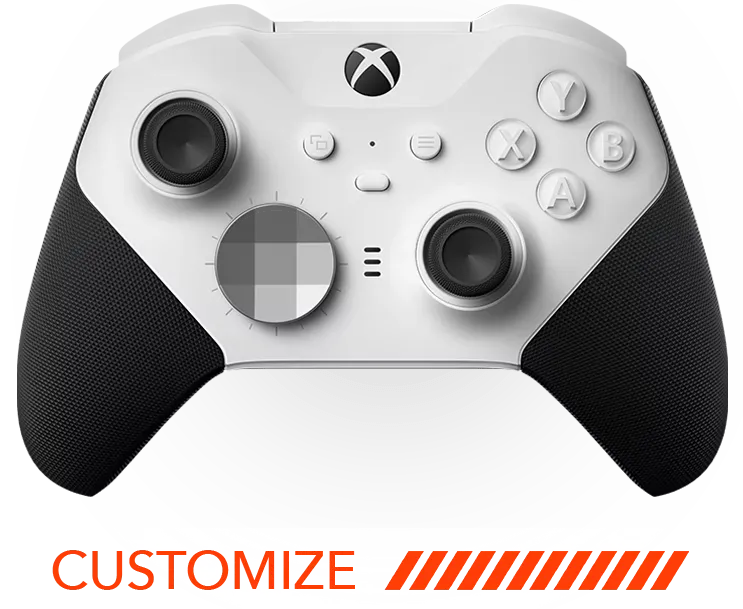
Welcome to ModdedZone! Today, we're thrilled to introduce the MZ Titan 2.0, our most advanced modded controller yet. Designed with precision and customization in mind, the MZ Titan 2.0 lets you take control like never before. Whether you're a competitive player or just looking to enhance your gaming experience, this controller is tailored to meet your needs.
Features Include:
Advanced Anti-Recoil System: Horizontal and vertical recoil control that outperforms any other on the market.
MZ Titan OS: Easily adjust and add mods using our user-friendly app, bypassing complicated button combinations.
Customizable Profiles: Set up and switch between multiple profiles for different games and playstyles.
No tutorials match your search. Try another word or contact us below.
These video tutorials walk you through every part of your ModdedZone modded controller, from first setup of the MZ Titan modchip and app to fine-tuning mods like rapid fire and anti recoil for PS5, Xbox and Nintendo Switch.
The MZ Titan app connects to your controller over Bluetooth. Use it to turn mods on and off, change mod settings, remap back paddles and save profiles for each game, so you can switch setups in seconds.
Most mods have adjustable values, such as the rate of fire for rapid fire or the strength of anti recoil. Paddles can be remapped to any button or set to toggle mods. See the full list of mods on our controller mods page.
If the app can't connect, check Bluetooth and app permissions, then reconnect the controller. Still stuck? Watch the troubleshooting video or contact our support team. Shopping for a new controller? See PS5 modded controllers.
Download the MZ Titan app, turn on Bluetooth and follow the steps in the MZ Titan OS: Get Started video above. The app finds your controller and connects in a few seconds.
Open the MZ Titan app, choose a mod and switch it on or off. Many mods also have settings you can adjust, like the rate of fire.
Yes. Any controller with the MZ Titan modchip can buy new mods in the MZ Titan app and Mods Marketplace at any time. Watch MZ Titan OS: Buying Mods to see how.
A profile saves a set of mods and settings, for example one for Call of Duty and one for Fortnite. You can create, edit and switch profiles in the app.
Make sure Bluetooth and the app's permissions are on, close and reopen the app, then reconnect the controller. The troubleshooting video shows each step. If it still doesn't work, contact us using the form below.
The mods demonstration videos show the mods in real games, and the mods page explains every mod.
Need a hand? Send our support team a message and we’ll get back to you within 48 hours, Monday through Friday.
For help with your order or products, include the relevant details in your message.