


A PS5 controller doesn't have to look, feel, or perform exactly like the one that shipped in the box. Customization today covers a lot more than swapping the color — you can redesign the shell, change how the thumbsticks sense movement, and add software-driven performance features that adjust how the controller behaves in-game.
The best way to approach it is to break the decision into three parts: how you want it to look, how you want it to feel in your hands, and how you want it to perform once you're in a match. This guide walks through each one and shows exactly what's possible on a ModdedZone PS5 build.
Table of Contents
1. What can you customize on a PS5 controller?
2. PS5 controller design and colors
3. How to put your own design on a PS5 controller
4. Thumbsticks: Hall Effect standard and the TMR upgrade
5. MZ Titan OS: software-driven performance mods
6. Buttons and D-pad customization
7. Grip, feel, and adaptive triggers
8. Building a PS5 controller for your playstyle
9. Which ModdedZone PS5 build should you choose?
10. How to build your own custom PS5 controller
11. Frequently asked questions
What Can You Customize on a PS5 Controller?
Almost every visible part of a PS5 controller can be personalized, and a separate set of upgrades can change how it actually plays. Some options are purely cosmetic. Others change the sensing technology inside the sticks or add software mods that adjust recoil, fire rate, or aim assistance.
|
Visual Customization |
Feel |
Performance |
|
Front shell & color |
Grip texture on the shell |
Hall Effect thumbsticks (standard) |
|
Buttons & D-pad color |
Button and stick material |
TMR thumbstick upgrade (DualSense Edge) |
|
Touchpad finish |
Overall controller weight/balance |
MZ Titan OS mod chip + app |
|
Custom picture / graphic |
Rapid Fire, Anti Recoil & other mods |
|
|
Gamertag & badges |
Thumbstick drift-fix calibration |
That's the core distinction worth understanding before you start: a custom design makes your controller unique. Hall Effect sticks, the TMR upgrade, and MZ Titan OS mods change how it responds when you're playing. A ModdedZone build can include either one on its own, or both together.
PS5 Controller Design and Colors
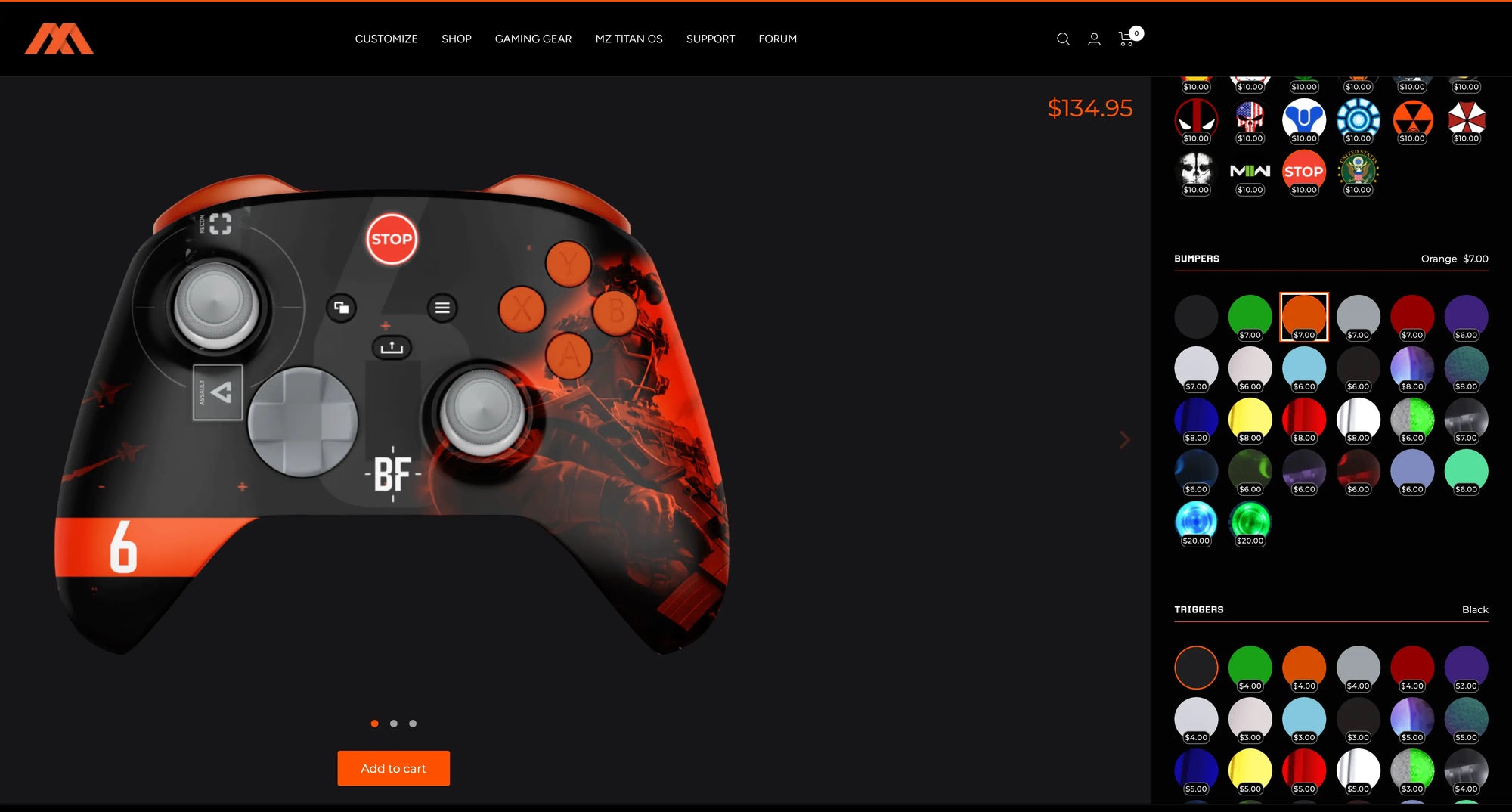
For most players, customization starts with the look. The stock DualSense has a recognizable two-tone shell, but a custom build opens up a much wider range — solid colors, two-tone combinations, patterned finishes, and themed designs across the shell, buttons, D-pad, and touchpad.
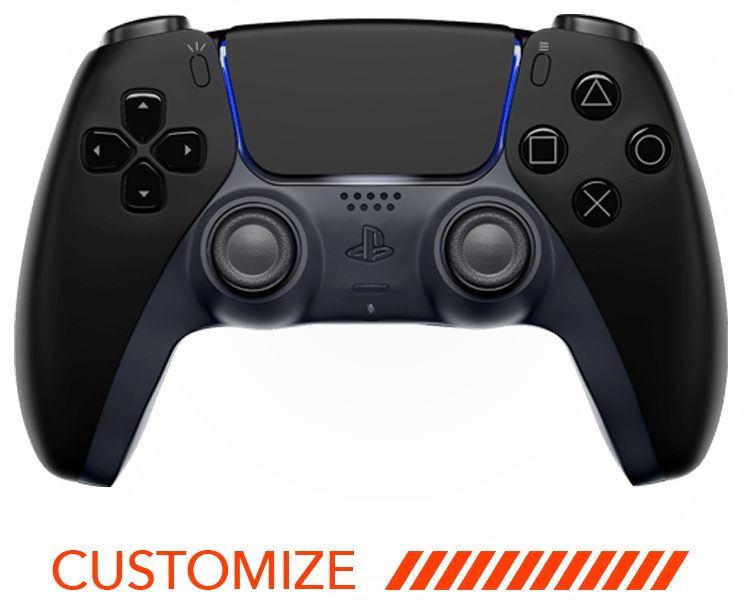
ModdedZone offers this two ways. You can pick from dozens of pre-built designs in the PS5 Ready to Go, Signature, and Smart Pro Edition collections, where the color and button combinations are already finalized and the controller ships in as little as two business days. Or you can start from scratch in the PS5 Customizer and choose the shell color, button colors, D-pad, and touchpad individually to build a one-off combination.
Small details matter more than they seem. Changing the face buttons or D-pad color on an otherwise plain shell can make a controller look distinct without a full custom shell — a useful option if you want something different without going all the way to a fully personalized build.
How to Put Your Own Design on a PS5 Controller
The PS5 Customizer at moddedzone.com/products/playstation-5-customizer lets you combine shell and button colors with two personalization options that go beyond a stock design:
-
Custom Picture Options — upload your own artwork or image to feature on the controller.
-
Gamertags & Badges — add your gamertag or a badge design directly onto the controller shell.
Both options are add-ons on top of the base customizer, so a controller can carry your own artwork and gamertag alongside whatever shell and button colors you choose. As with any custom artwork upload, use images or designs you have the rights to use.
Thumbsticks: Hall Effect Standard and the TMR Upgrade
The thumbsticks matter more than any other single component, because nearly every in-game movement and aiming adjustment starts there.
Hall Effect Standard
Every ModdedZone PS5 custom controller ships with Hall Effect thumbsticks as standard. Hall Effect sticks use non-contact magnetic sensing instead of the physical contact wiper found in a stock potentiometer stick, which is the component that eventually wears down and causes stick drift. That makes Hall Effect the baseline drift-resistance upgrade across every ModdedZone PS5 build, not a paid add-on.
TMR Thumbstick Upgrade (DualSense Edge only)
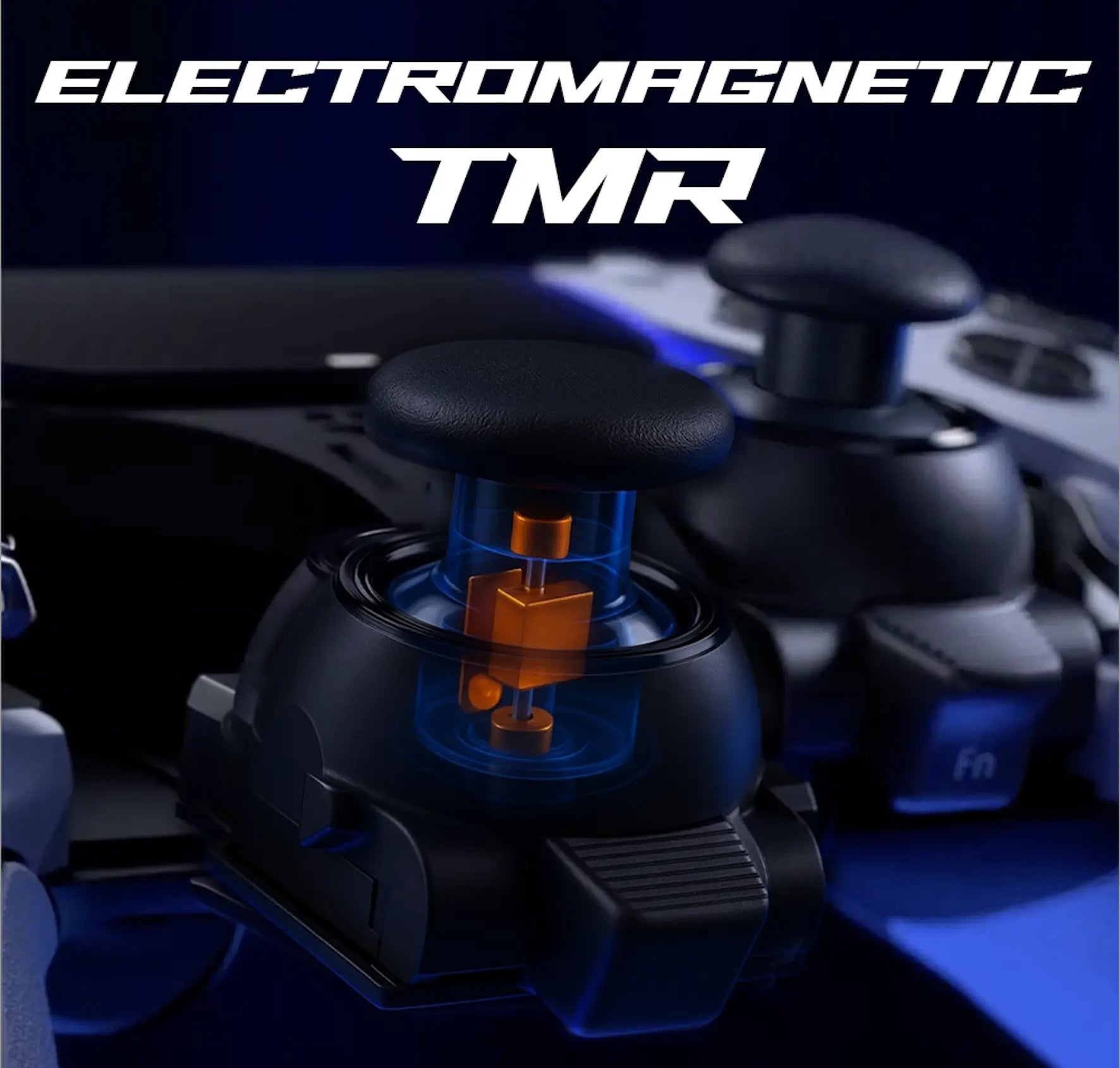
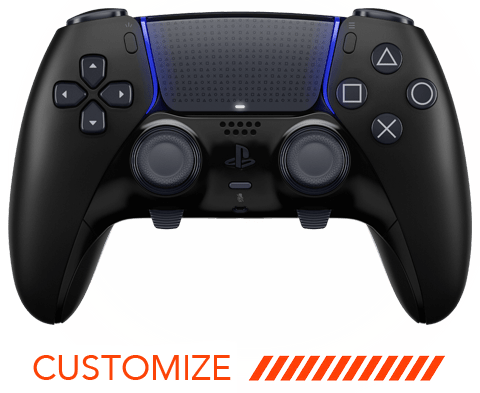
For players on a DualSense Edge, ModdedZone also offers a dedicated TMR (Tunneling MagnetoResistance) thumbstick module — a drop-in replacement that swaps into the Edge's existing interchangeable stick slots with no soldering required. TMR uses the same non-contact principle as Hall Effect but with tighter sensitivity and a 5M+ cycle rating, and it's available in 12 finishes starting at $59.99. Full details are in ModdedZone's TMR Thumbsticks Explained guide.
This TMR module is built specifically for the Edge's swappable module system, so it isn't compatible with a standard DualSense — which is why Hall Effect, not TMR, is the sensing technology across ModdedZone's standard PS5 lineup.

MZ Titan OS: Software-Driven Performance Mods
Beyond the thumbsticks, the biggest performance lever on a ModdedZone PS5 controller isn't a physical part — it's the MZ Titan mod chip and its companion app. Rather than changing trigger travel with hardware switches, MZ Titan OS lets you turn gameplay-adjusting mods on and off from your phone, and reconfigure them any time without opening the controller again.
Available hardware tiers at checkout:
-
No Modifications — cosmetic customization only, no mod chip installed.
-
Rapid Fire — MZ Titan chip pre-loaded with Rapid Fire, with the option to add more mods later via the app.
-
FPS Mod Pack — Rapid Fire, Burst Fire, Akimbo, Drop Shot, Jump Shot, Auto Scope, Quick Scope, Auto Hold Breath, and Auto Sprint.
-
Ultimate Mod Pack — every mod available at time of purchase, including Advanced and Horizontal Anti Recoil, Bunny Hop, Aim Assist Abuse, Auto Turbo, Macro Mod, and game-specific packs for Call of Duty, Battlefield, and The Division.
A separate, purchasable feature — Thumbstick Drift Fix — lets you manually recalibrate the center position of either stick directly from the app, which is useful even on a Hall Effect stick if the centering ever feels slightly off.
This is the ModdedZone equivalent of a hardware trigger-stop or paddle system: instead of a mechanical switch built into the shell, the mod behavior lives in the chip and app, so it can be changed or expanded after the controller ships.
Buttons and D-Pad Customization
Face buttons, the D-pad, and the touchpad can all be recolored and matched — or deliberately contrasted — with the shell. This is purely a visual and material choice on a ModdedZone build: the goal is finding a combination that looks the way you want, whether that's a clean monochrome build or a shell with contrasting accent buttons.
Grip, Feel, and Adaptive Triggers
Every ModdedZone PS5 controller is built on an authentic, brand-new Sony DualSense — not a third-party shell — which matters for how it feels in extended sessions. Unlike some performance-focused controllers that strip out Sony's adaptive trigger hardware to make room for mechanical trigger stops, ModdedZone's builds keep the adaptive triggers and haptic feedback fully intact, so games that use variable trigger resistance or vibration cues still work exactly as designed.
If your priority is a design that feels distinct in hand as well as looks different, that's mostly a function of shell finish and button material — the underlying DualSense ergonomics stay the same across every custom build.
Building a PS5 Controller for Your Playstyle
There's no single best configuration — the right combination depends on the games you play most. Three common starting points:
Competitive FPS Build
Hall Effect thumbsticks (or the TMR module if you're on a DualSense Edge), paired with the FPS Mod Pack or Ultimate Mod Pack for Rapid Fire, Anti Recoil, Drop Shot, and Quick Scope. A matte or textured shell finish is a common pairing for players who want a more secure grip during long ranked sessions.
All-Round Build
Hall Effect thumbsticks with no technical mod chip, or just Rapid Fire, keeps the controller close to stock behavior for players who move between genres — shooters, racing, sports, and single-player titles — without wanting a setup tuned around one game.
Design-Focused Build
Full custom shell, button colors, a custom picture upload, and a gamertag or badge, with no mod chip installed. The goal here is a controller that looks completely personal; performance mods can always be added later since the app-based MZ Titan OS system doesn't require ordering everything up front.
Which ModdedZone PS5 Build Should You Choose?
|
Your Priority |
Recommended Options |
|
Competitive FPS |
Hall Effect or TMR (Edge), FPS or Ultimate Mod Pack, textured grip shell |
|
Eliminating stick drift |
Hall Effect (standard) or TMR upgrade (DualSense Edge) |
|
Multiple genres / casual play |
Hall Effect standard, No Modifications or Rapid Fire only |
|
Personal design over performance |
Custom shell, custom picture, gamertag/badge, no mod chip |
|
Keeping adaptive triggers & haptics |
Any ModdedZone build — Sony DualSense hardware is retained |
How to Build Your Own Custom PS5 Controller
The fastest way to start is to decide what you want to change before opening the customizer:
-
Choose your visual direction — a pre-designed Ready to Go controller, or a fully custom build in the PS5 Customizer.
-
Pick your shell, button, and D-pad colors, and add a custom picture or gamertag/badge if you want a personalized graphic.
-
Decide on your hardware tier — No Modifications, Rapid Fire, FPS Mod Pack, or Ultimate Mod Pack.
-
If you're building on a DualSense Edge, add the TMR thumbstick module for the tightest drift resistance available.
-
Check out — Ready to Go orders ship in as little as two business days; fully custom builds take slightly longer to assemble.
Start your build → moddedzone.com/products/playstation-5-customizer
Frequently Asked Questions
Can you customize a PS5 controller?
Yes. A PS5 DualSense can be customized visually — shell, buttons, D-pad, touchpad, custom pictures, and gamertags/badges — and functionally, through Hall Effect or TMR thumbsticks and the MZ Titan OS mod chip and app.
What parts of a PS5 controller can be customized?
Visually: the front shell, face buttons, D-pad, and touchpad. Functionally: thumbstick sensing technology (Hall Effect standard, TMR on DualSense Edge) and software-based performance mods through MZ Titan OS.
Can I upload my own image or add my gamertag to a PS5 controller?
Yes. The PS5 Customizer includes Custom Picture Options for uploading your own artwork and a Gamertags & Badges add-on for personalizing the shell with your name or a badge design.
Does ModdedZone offer rear paddles on PS5 controllers?
Not on the standard DualSense-based lineup — the DualSense doesn't include a built-in paddle system the way Xbox Elite controllers do, so adding mechanical paddles would require extensive case modification. ModdedZone's PS5 performance upgrades focus on Hall Effect/TMR thumbsticks and MZ Titan OS software mods instead. Players who specifically want rear paddles are better served by ModdedZone's Xbox Elite Series 2 lineup, which has OEM paddle support built in.
What's the difference between Hall Effect and TMR thumbsticks?
Both are non-contact, magnet-based sensing technologies that resist the wear-based drift potentiometer sticks suffer from. TMR reads magnetic fields with higher sensitivity, giving tighter linearity and a longer rated lifespan, but ModdedZone currently offers it only as a module for the DualSense Edge. Hall Effect is the standard across every other ModdedZone PS5 build.
Are Rapid Fire and Anti Recoil mods legal in ranked or competitive play?
This depends entirely on the game and platform's terms of service. Mods like Rapid Fire and Anti Recoil operate at the hardware/firmware level rather than through game file modification, but some titles and ranked ladders explicitly restrict assistive hardware. Check the specific game's current rules before using performance mods in ranked or tournament play.
Can I customize a PS5 controller for Call of Duty or Warzone?
Yes. ModdedZone's Ultimate Mod Pack includes Call of Duty-specific mods such as COD Slide Cancel, COD Armor Repair, and COD Auto Heal, alongside general FPS mods like Rapid Fire, Drop Shot, and Quick Scope.
Do ModdedZone controllers keep adaptive triggers and haptic feedback?
Yes. Every ModdedZone PS5 controller is built on an authentic Sony DualSense, so adaptive trigger resistance and haptic feedback remain fully functional — they aren't removed to make room for mods or mechanical hardware.
Is a custom PS5 controller worth it?
It depends on which options you'll actually use. If stick drift has already cost you a controller, Hall Effect or TMR pays for itself. If you want a controller that looks like nobody else's, the design options do that on their own. The value comes from matching the upgrade to what you actually need, not from stacking every option available.
Can I combine design customization and performance mods in one order?
Yes. Shell colors, custom pictures, gamertags/badges, thumbstick technology, and the MZ Titan OS hardware tier are all selected in the same PS5 Customizer flow, so a single controller can be personalized and performance-tuned at the same time.
Ready to build yours? Start with the PS5 Customizer and choose your design, thumbsticks, and MZ Titan OS mod tier in one build.
Build your custom PS5 controller → moddedzone.com/products/playstation-5-customizer